My Environments#
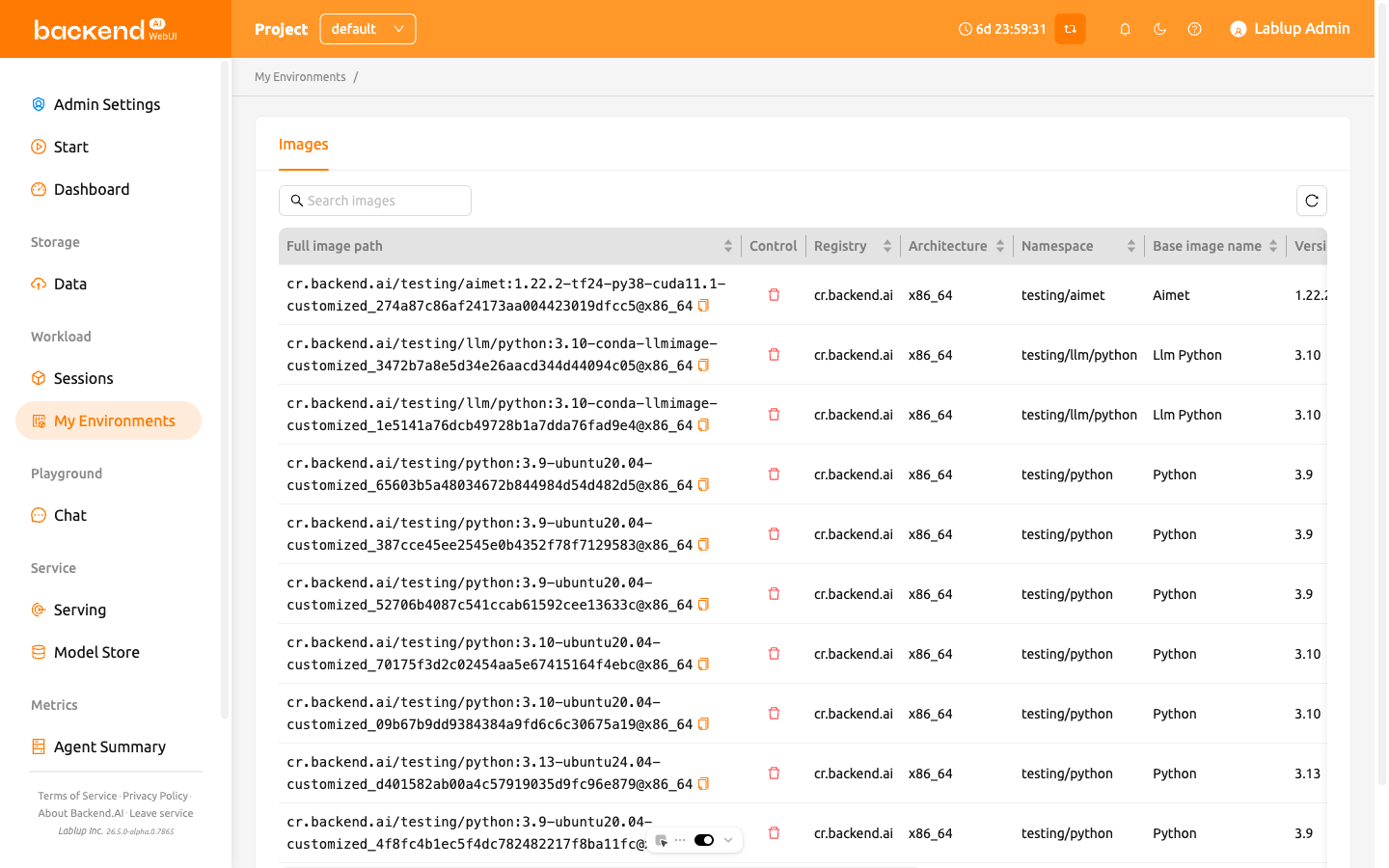
Starting from version 24.03, the My Environments page allows you to manage customized images created through session commits.
On the Images tab, you can view and manage images that were converted from compute sessions. The table displays the following metadata for each image:
- Full image path: The complete image path, with a copy icon to quickly copy it to your clipboard
- Registry: The container registry where the image is stored
- Architecture: The CPU architecture of the image
- Namespace: The namespace the image belongs to
- Base Image Name: The name of the base image
- Version: The version identifier of the image
- Tags: Labels associated with the image
- Digest: The unique content hash of the image
- Control: Contains the delete button for removing the image
Searching and Refreshing the Image List#
You can filter the image list by typing a keyword in the search bar at the top of the table. The list updates in real time as you type, showing only the images that match your search term.
To refresh the image list, click the reload button next to the search bar.
Copying the Image Path#
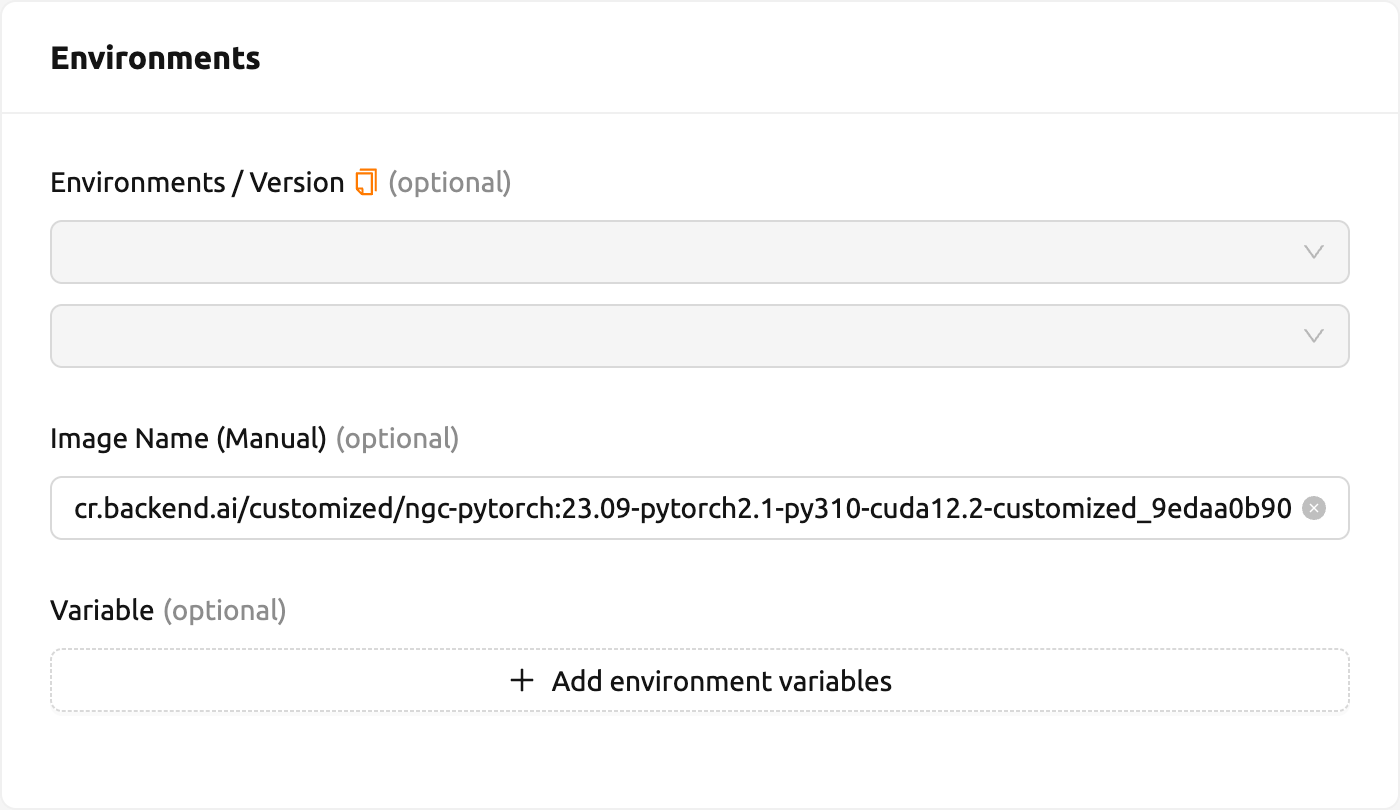
You can copy the full image path and use it to create a session with a manual image name.
- Click the copy icon next to the image name in the Full image path column to copy it to your clipboard
- Navigate to the Sessions page and start creating a new session
- Paste the copied image path into the manual image input field
Deleting a Customized Image#
To delete an image, click the red trash icon in the Control column.
Deleting an image is irreversible. After deletion, you will not be able to create a new session using that image.
Customizing Table Columns#
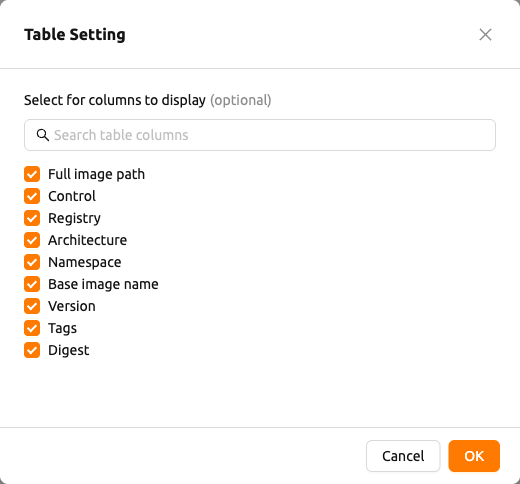
If you want to hide or show certain columns, click the gear icon at the bottom right of the table. A dialog appears where you can select which columns to display.